Preliminary Remarks
Using Cross-selling , pricing can be controlled for customers who purchase several products. For example, if a customer has already purchased product A, they can get product B for less. Cross-selling also applies within a shopping cart if, for example, a main subscription is to be combined with a discounted subscription in one shopping cart. This can also be used with cross-client offers.
To create cross-selling, a tag must first be created and assigned to the desired source offer.
As a preferred offer, time-based and credit-based subscriptions can be used.
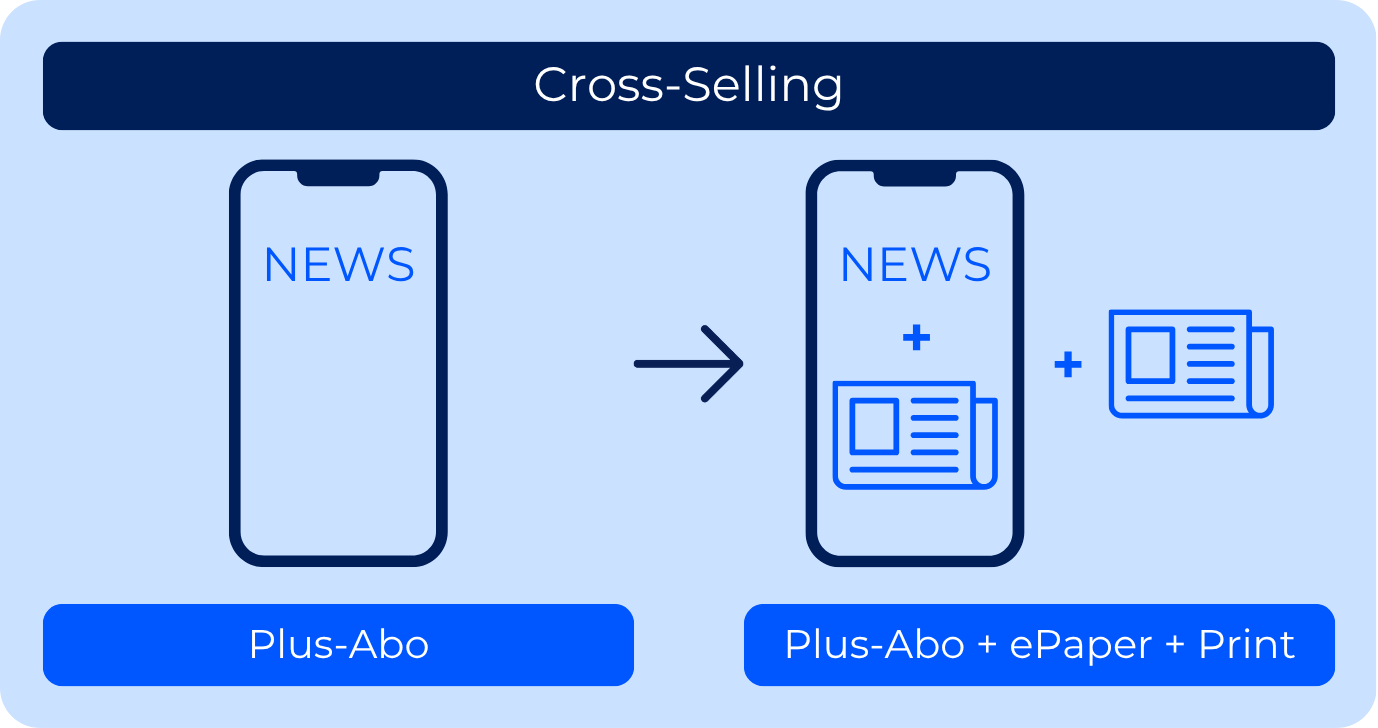
>> Help on the creation of tags
>> Help on Assigning tags to an offer
Create cross-selling
Click on +Add rule.
Enter an Internal title*.
Optionally, add an internal description.
Define rule
Option 1:
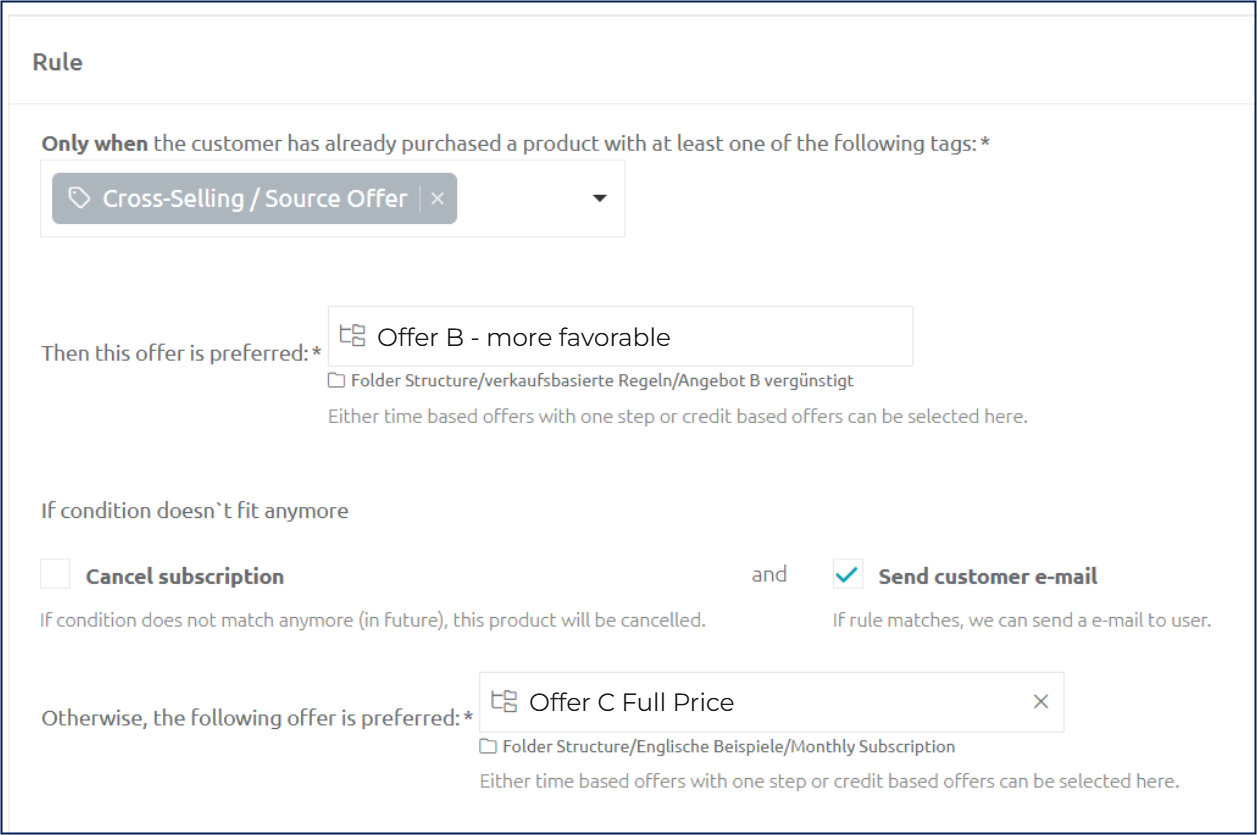
These rule settings determine the following:
If the customer has already bought offer A, he can buy the discounted offer B. As soon as he cancels offer A, the rule is no longer fulfilled and offer B is automatically exchanged for offer C (full price) at the next possible date.
Note: In this case, only single-step time-based subscriptions can be selected as an offer.
If the check mark is set at Send email to user , the system email Offer change is sent based on cross-selling .
Option 2:
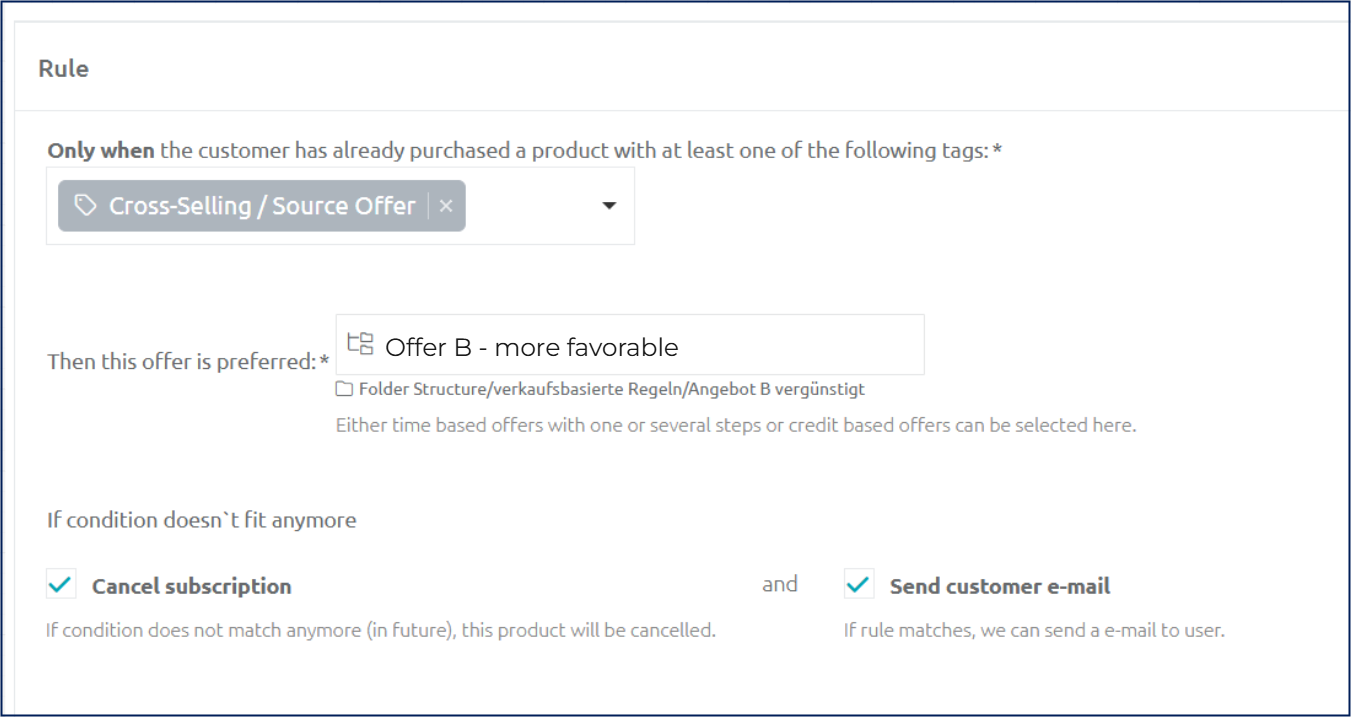
These rule settings determine the following:
If the customer has already bought offer A, he can buy the discounted offer B. As soon as he cancels offer A, offer B is also canceled at the earliest possible date and is not exchanged for an alternative offer.
Note: In this case, Offer B can be both a single-step and a multi-step time-based subscription.
If the box at Send email to user is checked, the system email Subscription cancellation confirmation will be sent.
Create texts
Description Condition applies
A text can be inserted here that is displayed to the customer in the checkout if they already have offer A.Description Condition does not apply
A text can be inserted here that is displayed to the customer in the checkout if they do not have offer A and therefore do not receive the discounted offer.
Callback behaviour
When a dependent subscription is automatically canceled because a cross-selling rule is no longer fulfilled (Option 2 above), a CANCELLATION callback is sent — one for the manually canceled primary offer and one for the auto-canceled dependent offer.
The auto-canceled dependent subscription payload looks identical to a normal user cancellation —
cancellationDateis set,successorReasonis empty. There is no dedicated flag to distinguish a relation-rule auto-cancel from a manual cancel in the callback payload alone. Use process context (e.g. another subscription was canceled at the same time) to identify the cascade.
Subscription | Callback type | Notes |
|---|---|---|
Manually canceled primary offer |
| Standard cancellation. |
Auto-canceled dependent offer (Option 2) |
|
|
Either, if status becomes INACTIVE immediately | Additional | Sent in addition to |
Good to know: For Option 1 (offer B is exchanged for offer C), the callback on the dependent subscription is a
CHANGE, not aCANCELLATION, since the subscription is transformed rather than canceled.