Overview
The Security Settings in your Frisbii Media SSO settings lets you control what an end customer sees when the e-mail address they enter is already known to your system, and how strong a password they must choose. Both settings apply to your whole contracting company, so they cover every company under your account and every customer, regardless of which company that customer registered or reset their password through.
Before you begin
You have Admin access to the Merchant Backend.
Frisbii Media SSO is set up for your contracting company.
Open the security settings
Navigate to Settings → SSO.
Click Edit to open editing mode.
Scroll down to security settings and password rules.
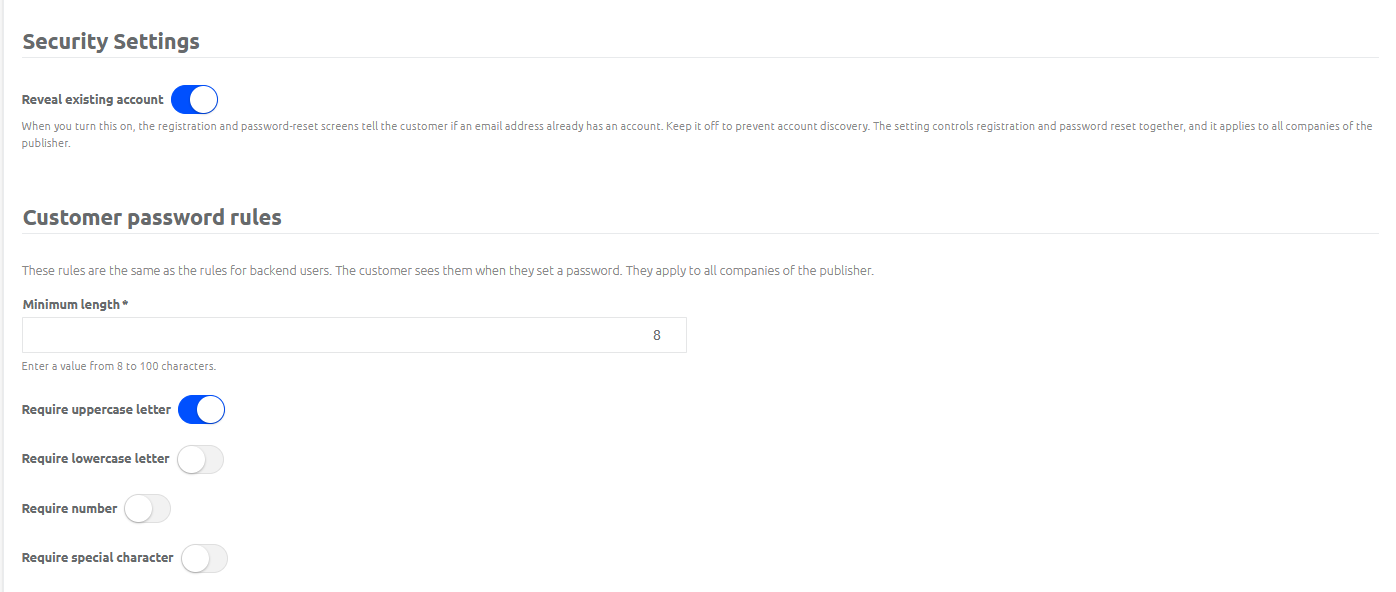
Reveal existing account
This setting controls whether a customer is told, during registration and in the forgot-password flow, that the e-mail address they entered already has, or does not have, an account.
Off (default) — Registration with an already registered e-mail address, and a forgot-password request for an e-mail address without an account, both behave exactly like a successful attempt. The customer sees the same next step either way, so nobody can use the forms to check whether an e-mail address is registered with you.
On — A customer who registers with an e-mail address that already has an account is told directly that the account exists, and can log in or reset the password instead. A customer who requests a password reset for an e-mail address without an account is told that the address could not be found.
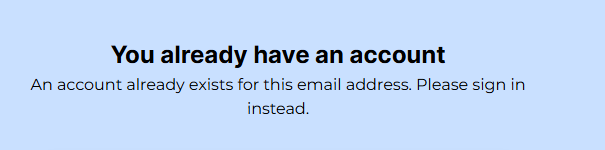
The registration-completion e-mail is still sent to a known address in both cases.
Note
We recommend leaving this setting off. Turning it on makes it possible to find out whether a specific e-mail address is registered with you, which is a trade-off some publishers accept for a friendlier customer experience but not all.
Password rules
Define the password strength your end customers must meet when they register, reset a forgotten password, or change their password in Self Service.
Minimum length — Set the minimum number of characters, from 8 to 100.
Uppercase letters — Require at least one uppercase letter.
Lowercase letters — Require at least one lowercase letter.
Numbers — Require at least one number.
Special characters — Require at least one special character.
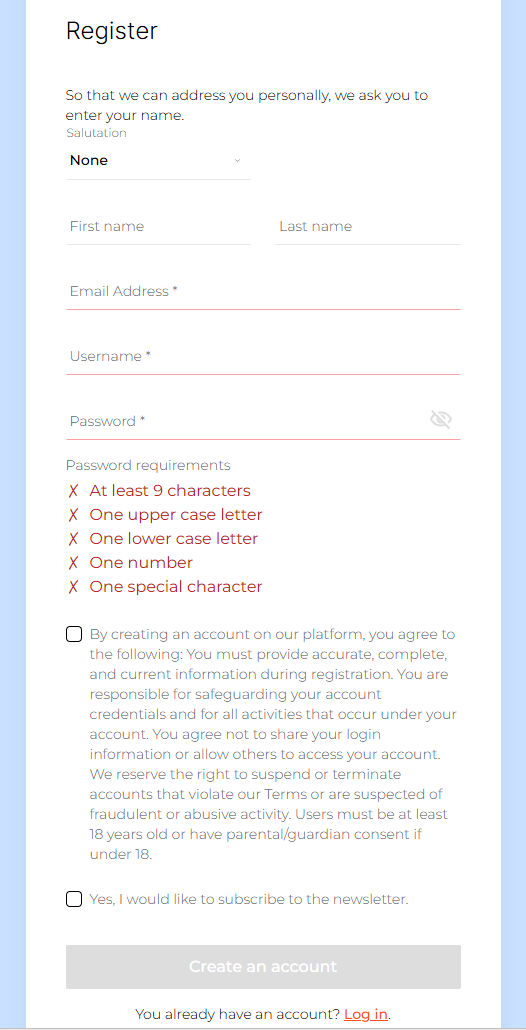
How the password rules are applied
Once you save the rules, Frisbii Media enforces them everywhere a customer sets a password:
registration,
the forgotten-password flow,
a forced password reset after login,
and a profile password change in Self Service.
A password that does not meet the configured rules is rejected, and the customer stays on the same screen to correct it.