These SSO settings apply to your customers' login, allowing them to sign in to their own customer account. This is not related to signing in to the Frisbii Media Merchant Backend.

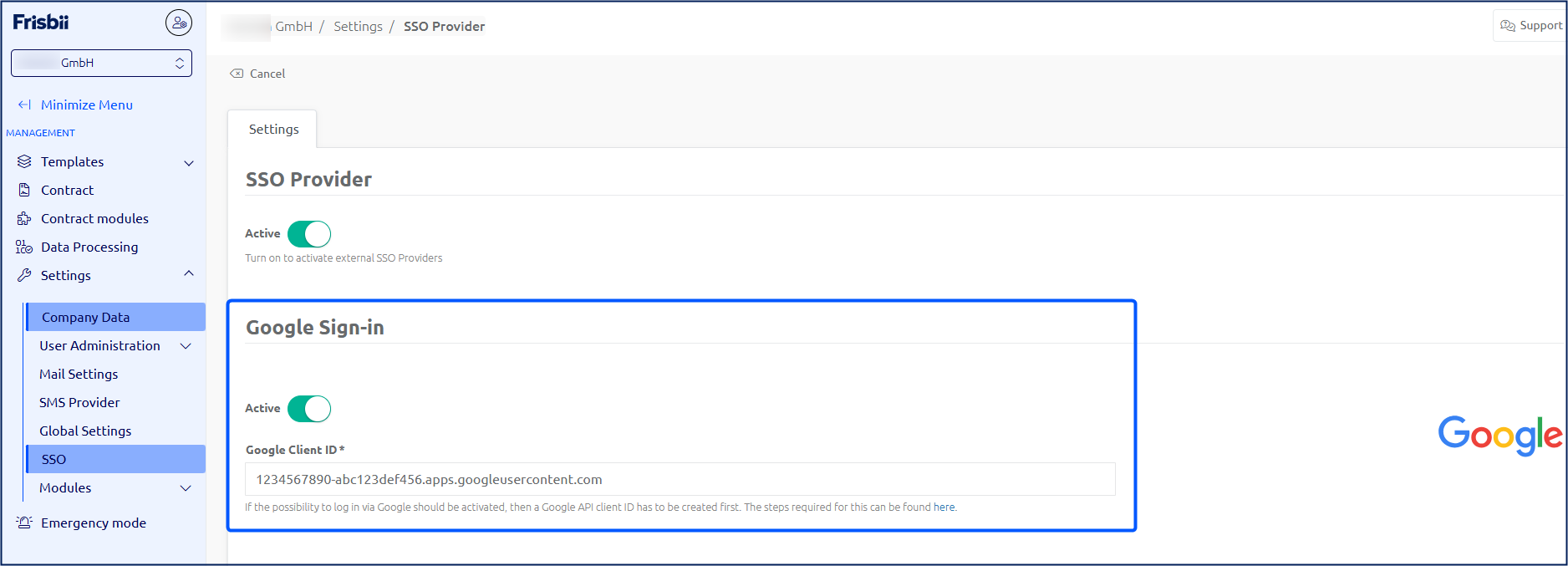
Activate SSO Provider
It is always necessary to activate the use of external SSO providers.

Set up the "Google Sign-In"
To use the login via Google, it is necessary to link a Google API with Frisbii Media.
The following steps are carried out for this purpose:
Set up an API project via Google.
Retrieve an OAuth client ID via the Google Cloud Console.
Such a client ID has the following structure: 1234567890-abc123def456.apps.googleusercontent.com
In the Google Cloud Console under Authorized JavaScript origins, enter the following URLs:
Note
The following URLs are for setting up Google Sign-In with our new checkout application (version C.250430-MAJOR).
For Stage (testing purposes):
Your website URL
https://checkout.plenigo-stage.com
https://sso-v3.frisbii-media-stage.com
For Live:
Your website URL
https://checkout.plenigo.com
https://sso-v3.frisbii-media.com

The client ID needs to be stored in the Frisbii Media backend in the "Google Client ID" field.
A demo of the Google function is available here.