B.261007-MINOR
🔧 Improved
Text size for rows in PDF designs
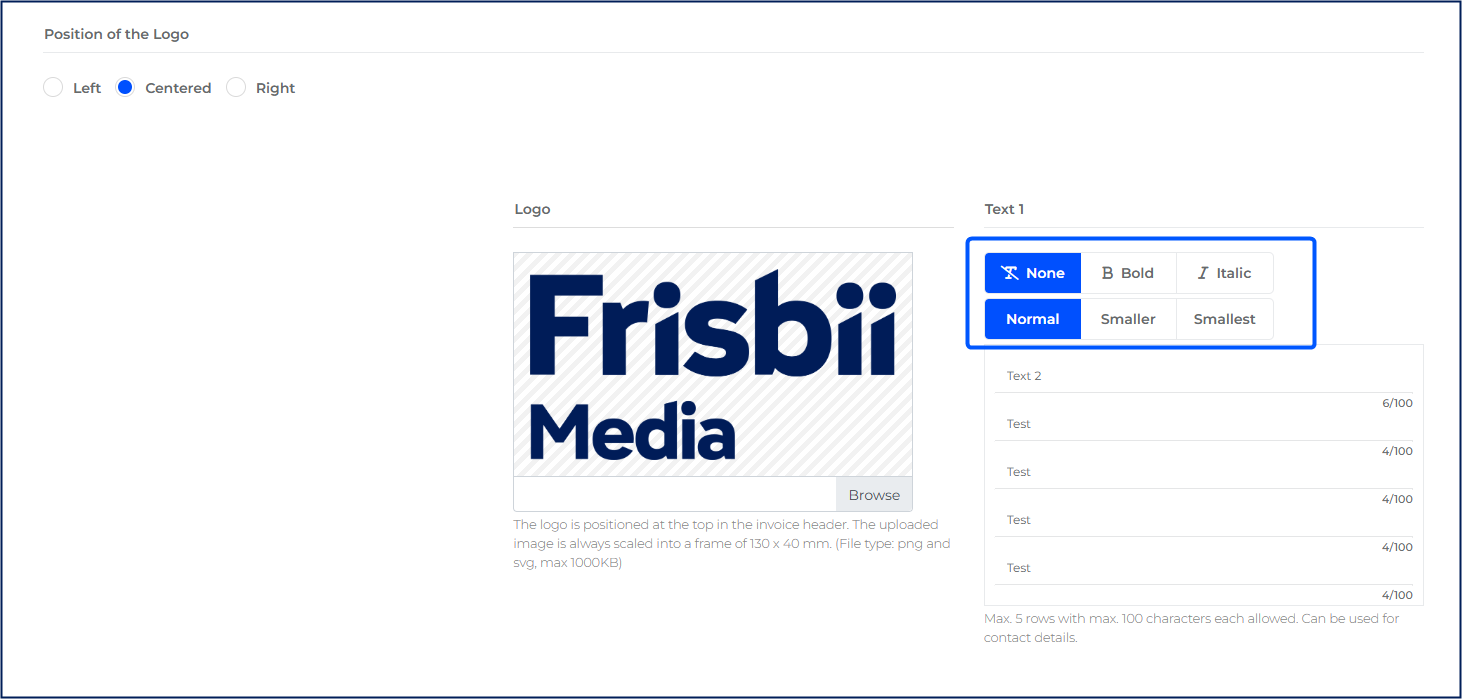
In the PDF design editor, you can now set the text size for each free-text row of your invoice and order confirmation designs. Choose between Normal, Smaller and Smallest. The setting is available for header rows, body header rows and both body footer areas. New rows use Normal by default, and existing designs remain unchanged.
Use this setting for example if you had issues displaying your e-mail address or your company name in one line. Doesn’t fit in one line? Just make the text smaller.
New design for Knowledge base widget
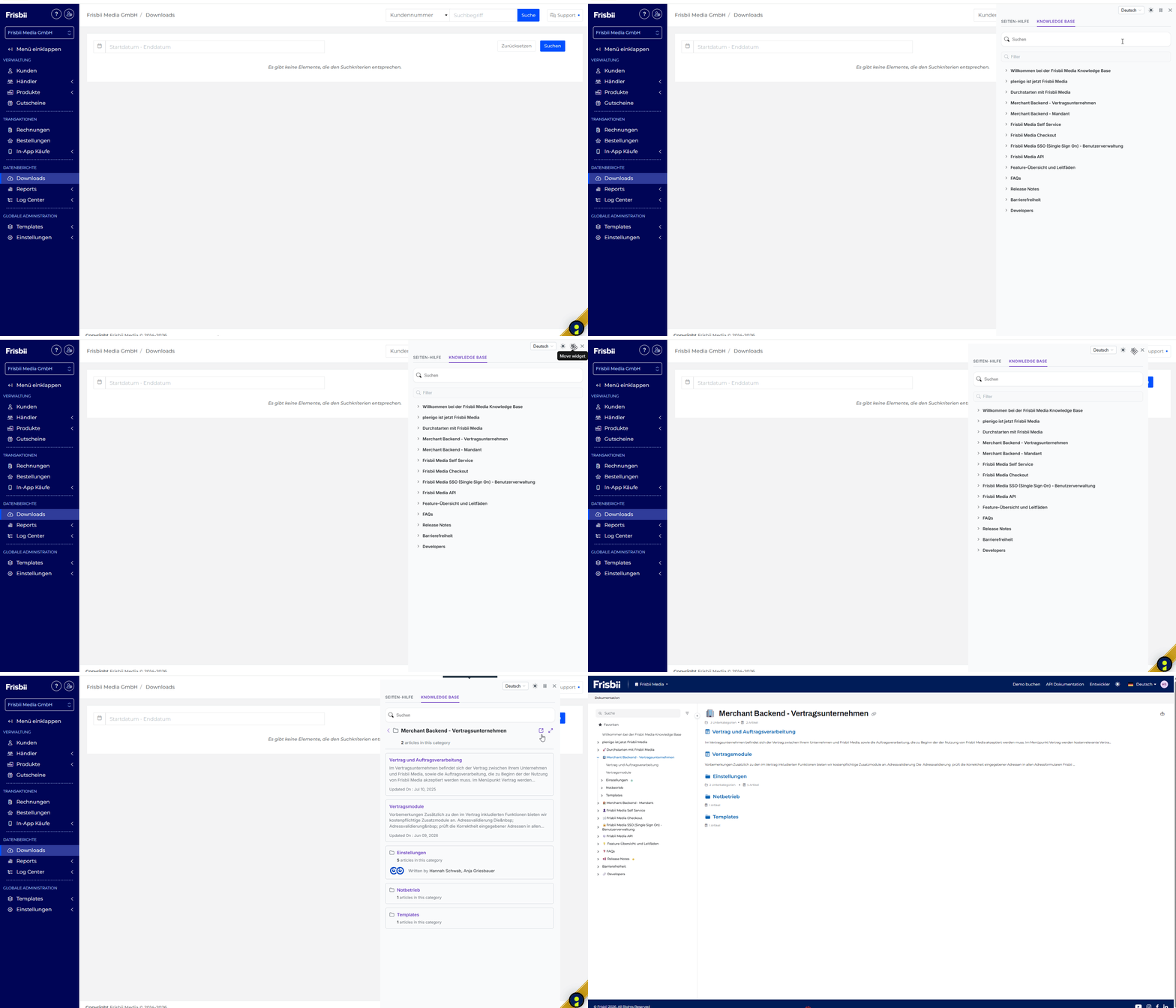
Clicking the question mark icon in the Merchant Backend opens the Frisbii Media knowledge base directly in the application. You can search for and read help articles without leaving the Merchant Backend. The knowledge base stays open when you switch pages. You can also reposition the box as you see fit so it isn’t in your way.
Soon: When you are on a specific interface, for example, you’re creating a product contract and want some more information on the fields, clicking on the ? symbol automatically opens the knowledge base article matching the interface you are currently in - no searching for specific articles anymore. You instantly find what you need to know.
🐛 Bug-Fixes
PLEN-11803: When saving an offer, the text editor changed the HTML of the offer description, for example by removing custom CSS classes and wrapper elements, even if the description itself had not been edited. The description HTML is now preserved when saving, and copying, pasting and switching between text and HTML view work reliably.
S.261007-MINOR
🔧 Improved
Clearer overview for multi-user subscriptions
To provide a more structured view of a multi-user subscription with multiple products, the subscription number is displayed as a “heading.” Below that, all products are clearly listed along with their corresponding titles.