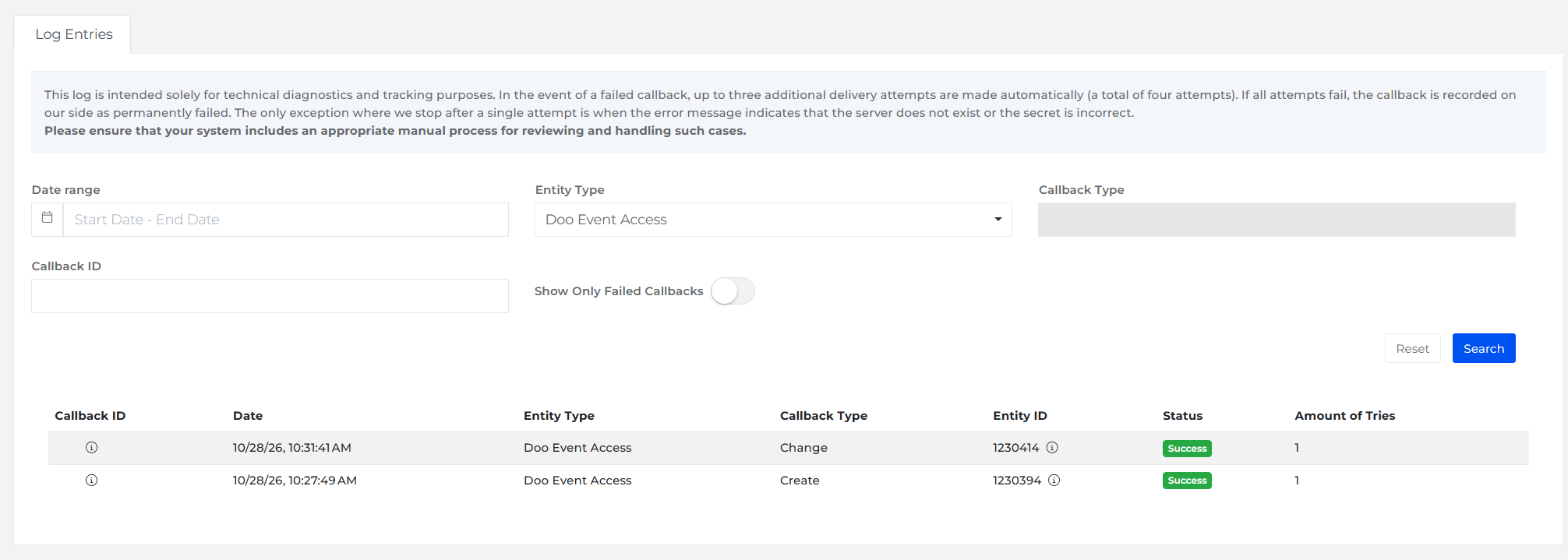
Overview
doo is an event management platform for live, hybrid, and virtual events. When you connect Frisbii Media to doo, customers who buy a doo-enabled offer are automatically added to the doo attendee list. You can use this to sell webinar subscriptions, single event tickets, or bundles of events and publications.
Limitations
Only single product offers and time-based subscription offers work with doo. Other offer types, such as credit-based offers, aren't supported.
Changes to customer data made directly in doo aren't synchronized back to Frisbii Media.
Note
The doo module is a paid extension of Frisbii Media. For a non-binding offer, contact support@frisbii.com. You can find more about doo at https://www.doo.net/.
Before you begin
The doo module is activated for your contracting company.
You have the connection details for doo: the URL of the web service, the authentication username and password, and the secret.
Activate and configure doo
Open the menu item Settings → Development → Partner Settings.
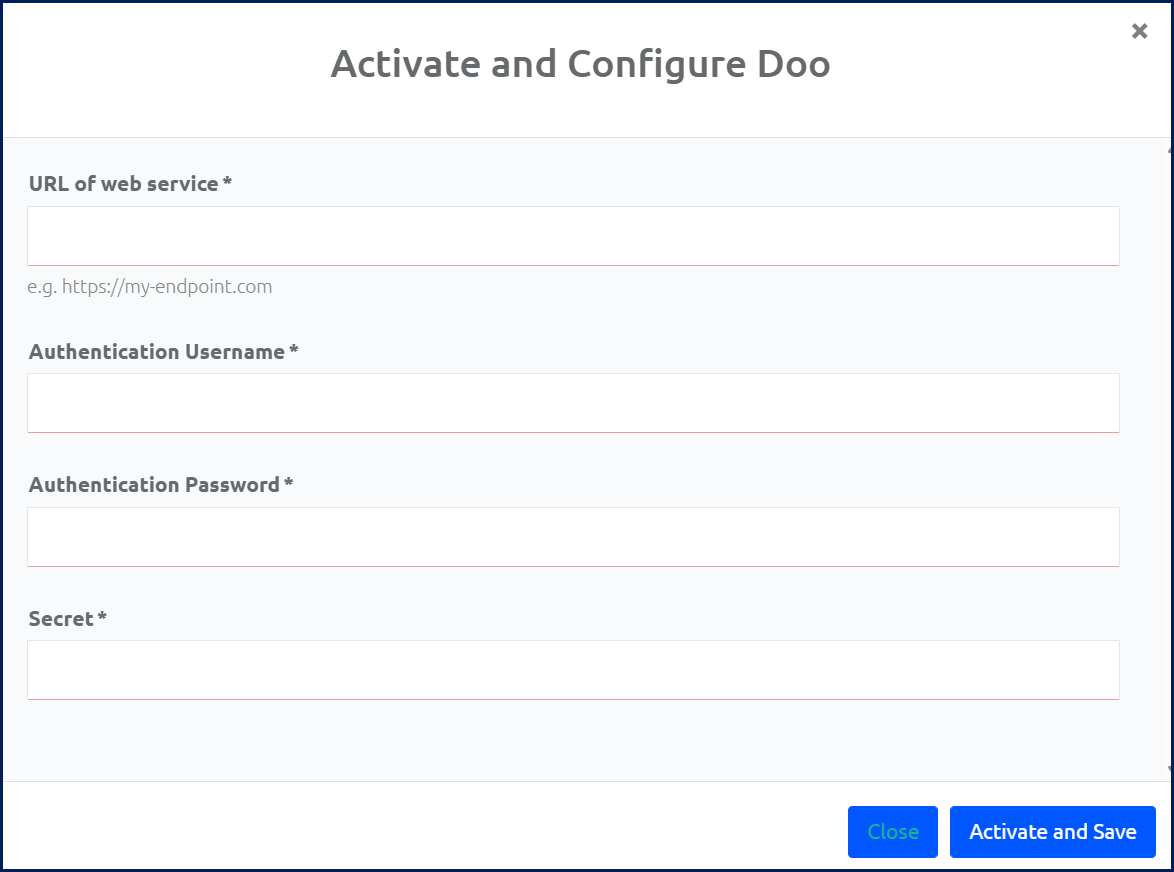
Click on Activate and Configure Doo. A dialog opens.
Enter the URL of web service, including the protocol (for example,
https://my-endpoint.com). Frisbii Media sends the doo callbacks to this URL.Enter the Authentication Username and the Authentication Password.
Enter the Secret.
Click on Activate and Save. Frisbii Media generates the token for the connection to doo.
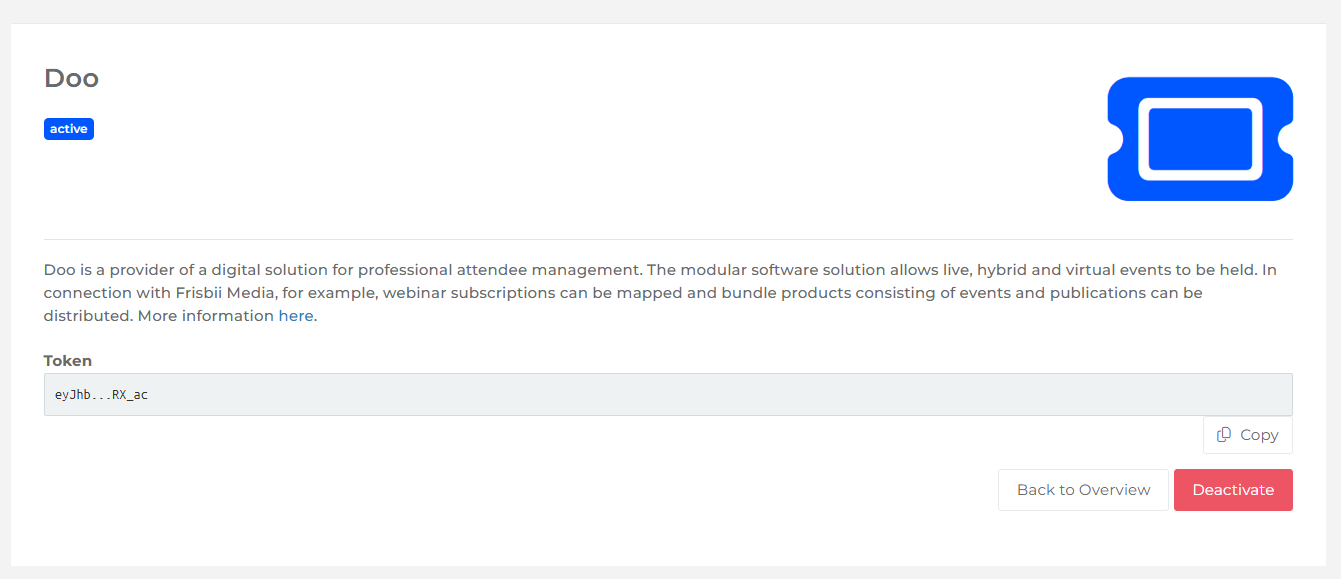
When the activation is complete, doo is shown as active on the Partner Settings page.
Use an offer for doo events
Open the menu item Offers and open the offer you want to use for doo events.
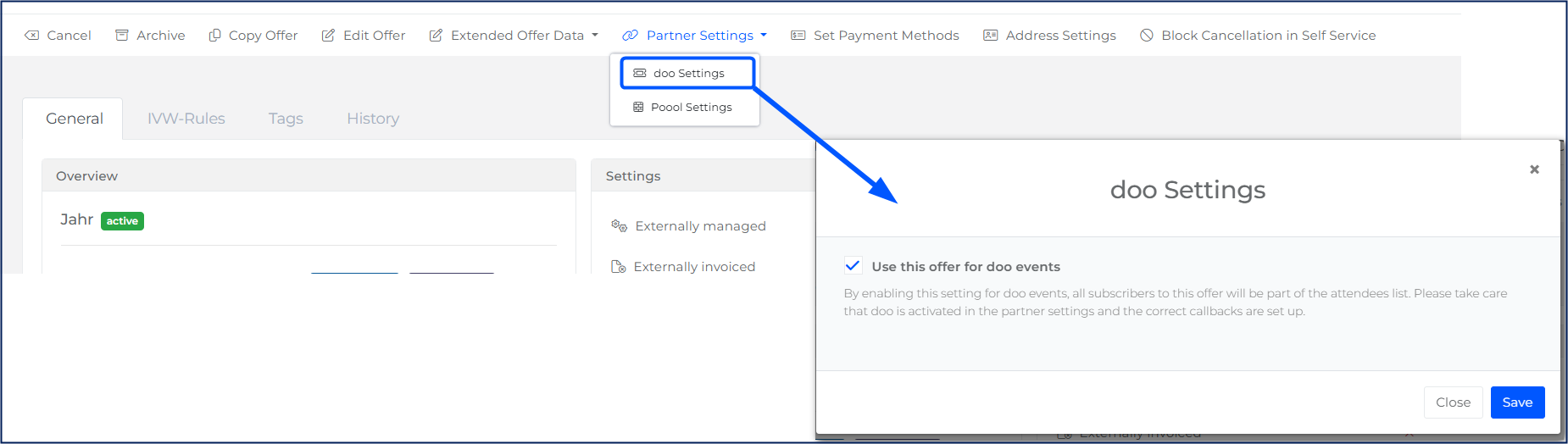
In the action bar, click on Partner Settings → doo Settings. A dialog opens.
Select Use this offer for doo events.
Click on Save.
When the setting is saved, you see the message "The settings have been saved successfully." From now on, every customer who buys this offer, or has an active subscription to it, is added to the doo attendee list.
What Frisbii Media sends to doo
Frisbii Media sends a callback to doo when a customer buys a doo-enabled offer, and again whenever the subscription changes, for example when it's canceled. All doo callbacks have the entity type DOO_EVENT_ACCESS. The callbackType tells doo what happened:
CREATION: A customer has received a new access, for example by buying the offer.CHANGE: An existing access has changed, for example because the subscription was canceled.
Note
The callback doesn't contain personal data such as name or email address. doo retrieves these details from the Frisbii Media API using the customerId.
Example: Subscription created
{
  "entityType": "DOO_EVENT_ACCESS",
  "callbackType": "CREATION",
  "entityId": "1230394",
  "entity": {
    "accessRightUniqueId": "daily-paper",
    "companyId": "XKNTGM614AQPVXGOD287",
    "customerId": "99",
    "multiuserSubscriptionCancellationDate": null,
    "multiuserSubscriptionEndDate": null,
    "multiuserSubscriptionStartDate": null,
    "orderValidityEndDate": null,
    "quantity": 1,
    "subscription": true,
    "subscriptionCancellationDate": null,
    "subscriptionEndDate": null,
    "subscriptionId": 1230414,
    "subscriptionItemId": 1230505,
    "subscriptionStartDate": "2026-10-28T09:27:48.433607Z"
  }
}
Customer 99 has a new subscription with the access right daily-paper, starting on 28 October 2026. The subscription has no cancellation date and no end date, so the access is valid with no end date.
Example: Subscription canceled
{
  "entityType": "DOO_EVENT_ACCESS",
  "callbackType": "CHANGE",
  "entityId": "1230414",
  "entity": {
    "accessRightUniqueId": "daily-paper",
    "companyId": "XKNTGM614AQPVXGOD287",
    "customerId": "99",
    "multiuserSubscriptionCancellationDate": null,
    "multiuserSubscriptionEndDate": null,
    "multiuserSubscriptionStartDate": null,
    "orderValidityEndDate": null,
    "quantity": 1,
    "subscription": true,
    "subscriptionCancellationDate": "2026-10-28T09:31:40.781599Z",
    "subscriptionEndDate": "2026-11-28T00:00:00Z",
    "subscriptionId": 1230414,
    "subscriptionItemId": 1230505,
    "subscriptionStartDate": "2026-10-28T09:27:48.433607Z"
  }
}
The same subscription (subscriptionId 1230414) was canceled on 28 October 2026. The access stays valid until the subscriptionEndDate on 28 November 2026. Until then, customer 99 remains an attendee.
Fields in the callback
Field | Meaning |
|---|---|
| Always |
|
|
| ID of the object that triggered the callback: the order ID for |
| The access right the offer grants. Use it to map the access to an event or event series in doo. |
| ID of your company in Frisbii Media. |
| Customer number of the attendee in Frisbii Media. |
| Number of offers bought |
|
|
| IDs of the subscription and the subscription item. Use |
| Date from which the access is valid. |
| Date the subscription was canceled. |
| Date the access ends. |
| For single products: date the access ends. |
| The same dates for a seat in a multi-user subscription. |
All dates are in UTC (ISO 8601 format).
How doo should evaluate the callbacks
Identify the attendee by
customerIdand the event or event series byaccessRightUniqueId.Use
subscriptionIdto link aCHANGEcallback to the original subscription, and always apply the most recent callback.An access is valid for an event if the start date is on or before the event date, and the end date is either empty or after the event date.
A cancellation doesn't end the access immediately. Keep the attendee until the
subscriptionEndDate, not thesubscriptionCancellationDate.For single products (
subscriptionisfalse), useorderValidityEndDateinstead of the subscription dates.Use
quantityto know how many tickets or seats the customer has.
To check whether a callback reached doo, open the Callback Log and filter by the doo entity type.