B.260826-MINOR
🔧 Improved
Correct last login date now displayed
The displayed date of the last login for merchant backend users could be incorrect. The list is now sorted chronologically, so the correct, most recent login date is always shown.
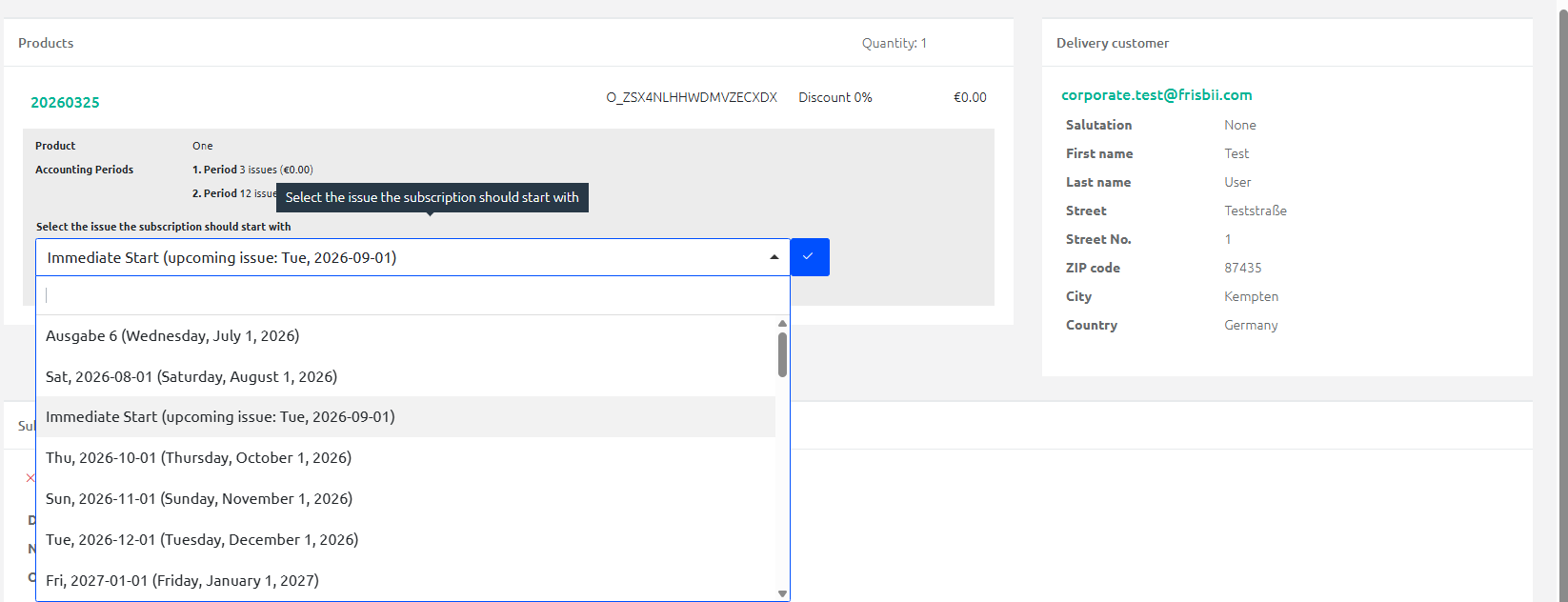
New "Immediate start" option in the merchant checkout
When selecting a start date for issue-based offers in the merchant checkout, the "Immediate start" option is now available. It automatically starts the subscription with the next upcoming issue. This issue is no longer listed separately as its own start option, and the "Today" option no longer applies to issue-based offers.
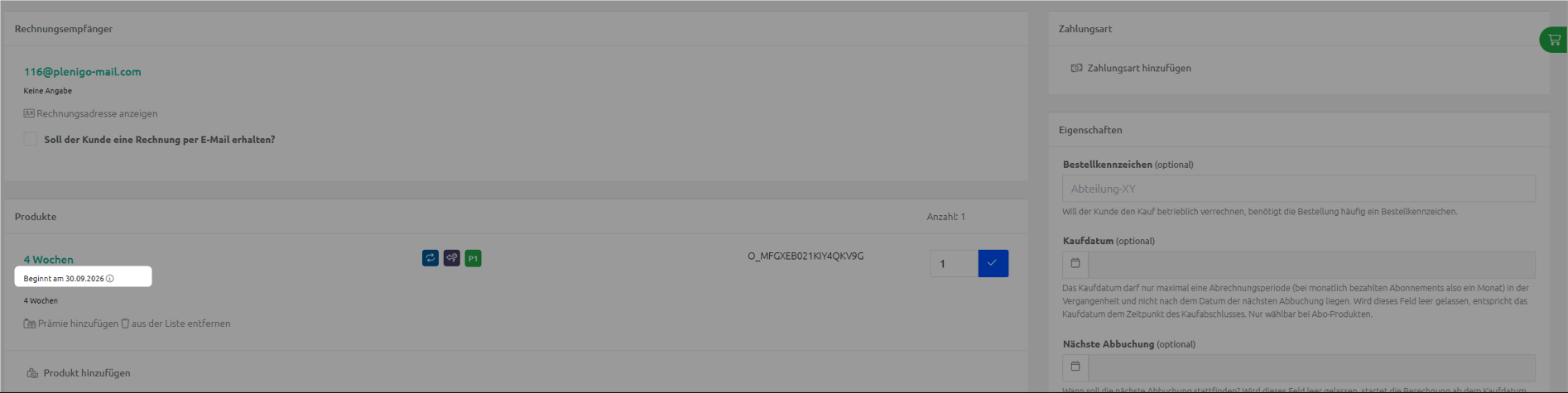
Future start date now visible in the merchant checkout
If a fixed future start date is set for an offer, the merchant checkout now displays this date on both checkout pages below the offer title, along with a brief explanation. In this case, the "Purchase date" and "Next booking" fields are grayed out, since the subscription only begins on the specified date.
S.260826-MINOR
🔧 Improved
Manage devices and sessions in Self Service
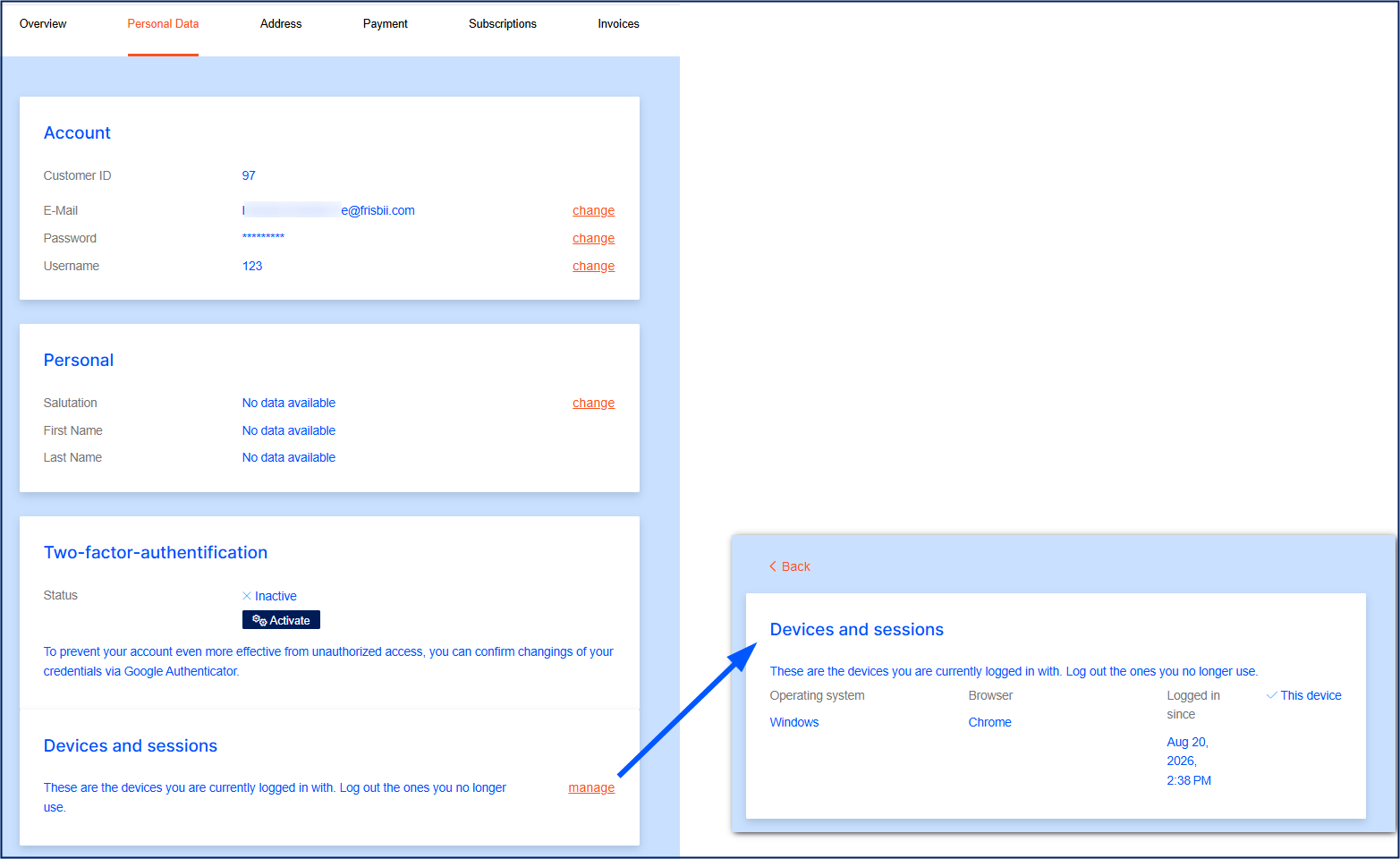
Your customers can now see and manage which devices they're logged in on directly in Self Service.
A new overview shows all active sessions, including operating system, browser, and login date, and lets customers log out a single device or all other devices at once.
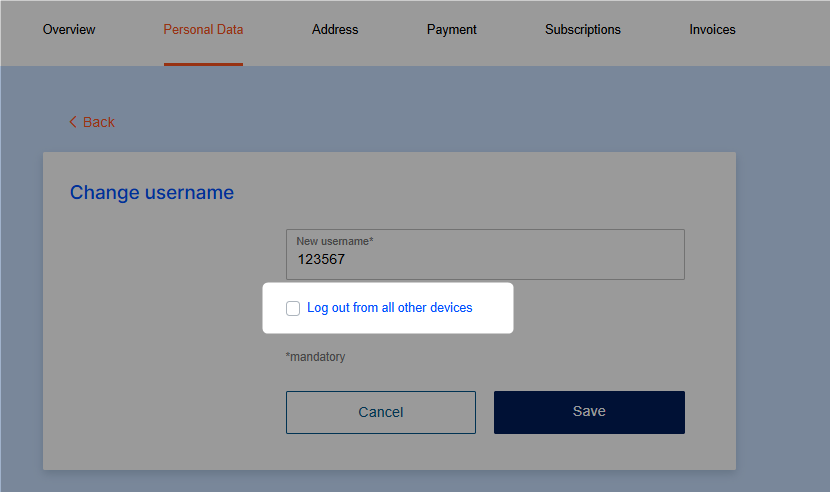
When changing their email address or username, customers can log out of all other devices at the same time.
When changing their password, customers are automatically logged out of all other devices for security reasons; this is now clearly explained on screen.
C.260826-MINOR
🔧 Improved
Stripe Card Element replaced by Payment Element
Since the previously used Stripe Card Element is classified as a legacy integration that is only maintained but no longer actively developed, we have introduced the new Payment Element.
→ You can find more details in the Stripe documentation.
Action required
Please check on STAGE
whether the payment methods available in the Payment Element work
Credit card
Link
Google Pay
Apple Pay
and, if applicable, that your custom CSS still displays correctly.
If you notice any irregularities or issues, please contact our support team by Friday, September 4.
Provided there are no issues, the new checkout version will be deployed to the LIVE system on Wednesday, September 9, 2026.
🚀 Coming soon
Klarna payment method via PSP Stripe
From Thursday, 27.08.2026, the Klarna payment method will be available via the PSP Stripe in the STAGE Frisbii Media checkout.
What is Klarna?
Klarna is a payment method that gives customers several ways to pay for their purchase:
Pay now
Pay later
Pay in installments, or
Financing
You can test Klarna in your STAGE environment from 27.08.2026 to 04.09.2026. If you run into any issues, please contact our support team.
If no issues or irregularities arise during the testing period, Klarna will become available on the LIVE system from 09.09.2026.
→ Follow the setup guide and use your Frisbii Media STAGE environment and your Stripe test environment for testing: Klarna