Overview
Frisbii Media SSO is the central sign-in for your readers. Registration, login and password management run through a hosted interface in your own branding that fits seamlessly into Checkout and Self Service. Frisbii Media SSO is a paid contract module: you book it once for your contracting company, and all of its clients share one SSO and one pool of customer accounts.
Note
If you already used Frisbii SSO before it became a contract module, you keep it free of charge until 31 January 2027. Your contracting company already has the module, shown as active. Billing starts on 01 February 2027 automatically. If you do not wish to continue using the SSO module, please cancel the contract.
If you have any questions regarding pricing, please contact your contact person or reach out to our support team.
What happens if I cancel the module?
If you decide to not further use the SSO module, please be aware that the following features will no longer be available for you and your readers:
Your readers cannot register, log in, reset their password, change their profile or verify their account through the SSO.
Sign in with Google is not available.
The Merchant Backend hides all SSO settings and functions, for example the SSO settings, login history, password reset for customers and the login and registration email templates.
Self Service hides the password and two-factor authentication sections. Your readers can still change their username and email address.
What the module includes
With the Frisbii Media SSO module, you can use the following functions. Follow the links for setup instructions and details.
Function | What you can do | Learn more |
|---|---|---|
Registration and login | Offer your readers registration, login and password reset in a hosted interface in your own design. Define which customer data is collected during registration. | |
Account connection | Let existing subscribers, for example from your print business, create an account themselves and link it to their subscription. | |
Sign in with Google | Allow your readers to register and log in with their Google account. | |
Password rules and security settings | Define password rules and further security settings for your readers' accounts. | Define security settings and password rules for Frisbii Media SSO |
Terms and conditions and opt-ins | Ask readers to accept your terms and conditions and give marketing consent during registration. | |
System emails | Send automatic emails for registration, password renewal and other login events. | |
Password and 2FA in Self Service | Let your readers change their password and manage two-factor authentication in Self Service. | |
Customer support tools | Reset a customer's password, deactivate two-factor authentication and review login activity in the Merchant Backend. | Login History (customer account), Login History (Log Center) |
Accessibility | Offer your readers a sign-in interface that is built to accessibility standards. | |
One login for all brands | Give readers one account for all clients of your contracting company, with a separate design per client. |
How the module is booked and billed
You book the module for your contracting company. You cannot book it for individual clients.
The module is available for all contract types: Starter, Advanced, Professional and Enterprise.
You pay a fixed price per active client of your contracting company. Clients with any other status, for example clients that are still being set up or have been deactivated, are not counted.
When you add an active client, it is included in the next billing.
Note
To book the module, contact your Frisbii Media contact person or book it on the contract modules page of your contracting company in the Merchant Backend.
SSO interface
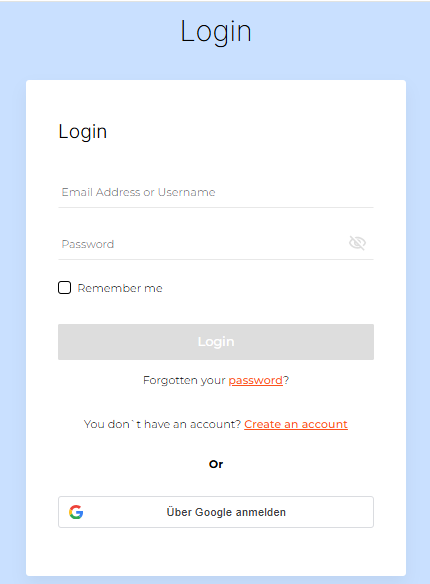
Login
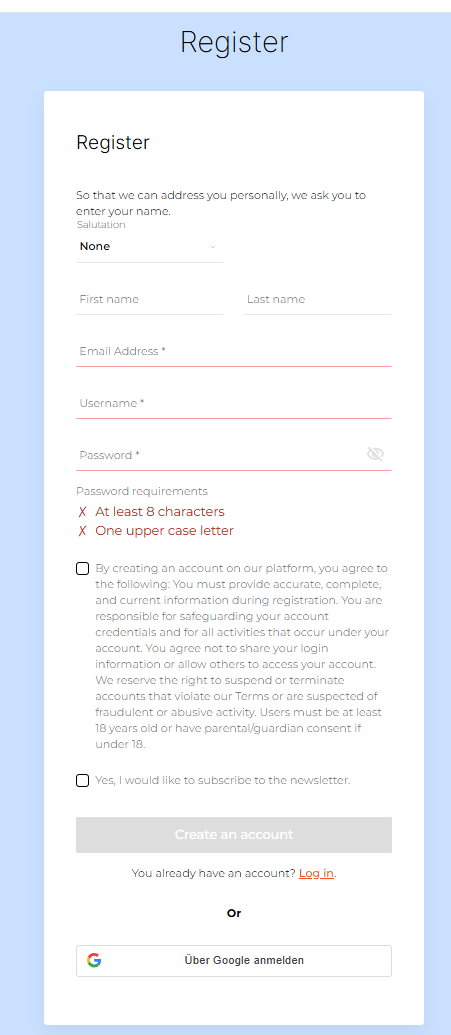
Registration
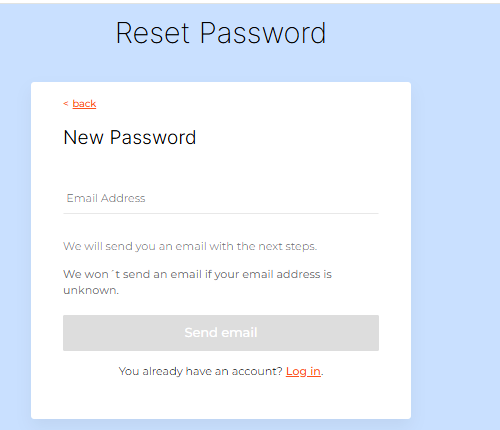
Forgot Password